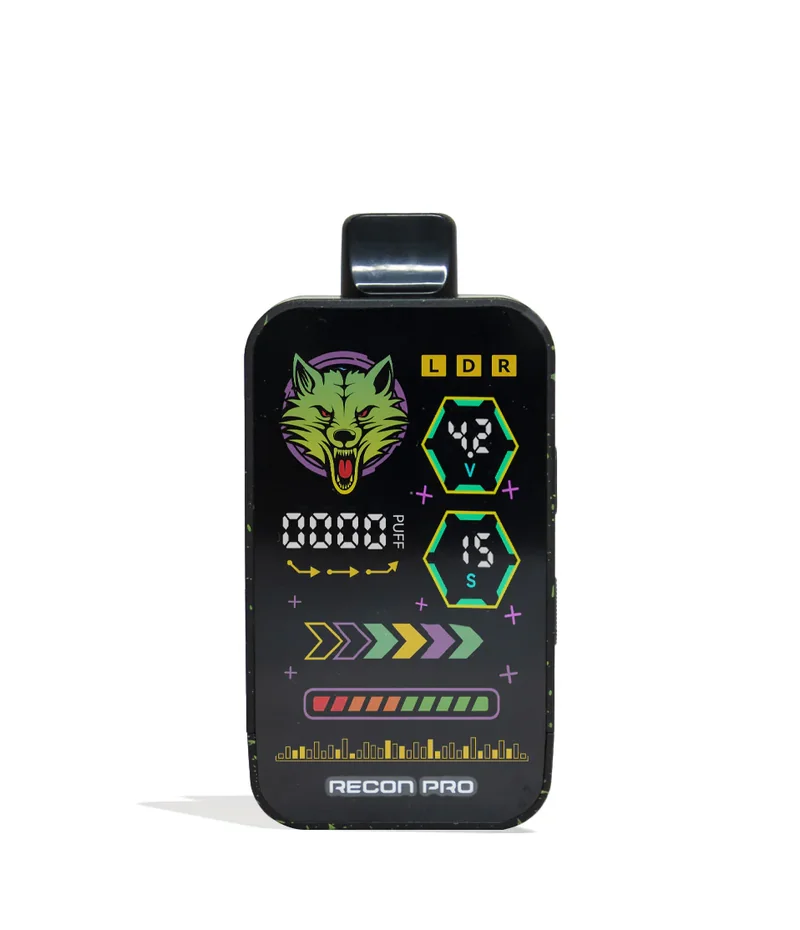
Wulf Mods Recon Pro Dual 510 Voltage Battery
Dual Cartridge Professionalism It takes two to tango, two to make it right, and two cartridges to fully load the Wulf Mods Recon Pro Dual 510 Voltage Battery. That’s on account of the Recon Pro Dual having 2 separate 510 threaded connections (each able to handle 2G carts), and an easy side lever to make switching between ripping them together or separately . Customize your clouds with a choice of 6 different temperature settings (1.8, 2.2, 2.7, 3.2, 3.7,4.2v), and even a dedicated airflow slider. For upgraded potency, the Recon Pro has an expanded 15s pre-heat function with choice of 2 different temperatures (1.8v or 3.2v) that lets you dial things up to truly fiery levels. For a professional experience inside and out, the Recon Pro Dual has a vivid screen spanning the entirety of its front face. With full color graphics, a puff counter, battery level, and voltage tracker - accessing your session info is entirely seamless. With a choice of 9 different color options, it's time for you to choose to match your vibes, and begin your Wulf Mods Recon Pro Dual 510 Voltage Battery journey! Loading The Recon Pro Dual 510 Voltage Battery To start blowing some clouds with your Recon Pro Dual 510 Voltage Battery, first choose a 510 threaded cartridge up to 2 grams in size from your collection. Then you can remove the magnetic bottom of your device, exposing its 2 threaded connection ports. Load either one or two cartridges into the battery by carefully twisting them in and then replace the magnetic bottom back into the main body of your vaporizer. Using Your Recon Pro Dual 510 Voltage Battery Power on your Recon Pro Dual 510 Voltage Battery by pressing the power button 5x in a row and watch as your screen lights up with colors. From here use the side selector to either select the left, right, or double cartridge options and proceed to hold down the power button while drawing from the mouthpiece to enjoy some smooth clouds. When you're finished seshing, turn off your Recon Pr...